
Step 6 of 14 · Bring in your customers
Connect your store or website
About 10 min
Connecting your store brings in customers, orders and carts so automations can react to them. A plain website (no shop) can still capture subscribers and show forms.
- 1In the sidebar click Integrations (1). On the Website card click Connect.
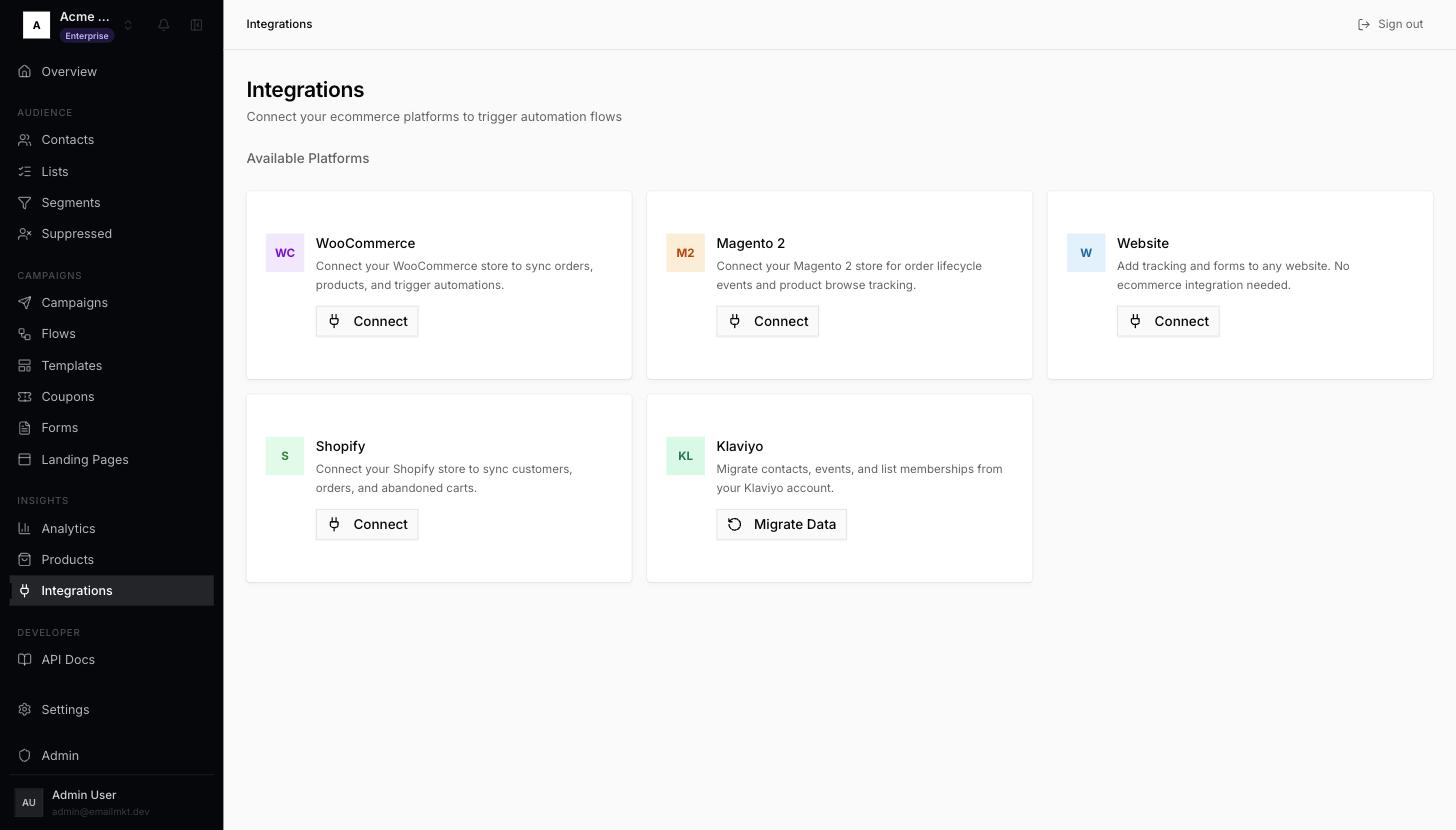
Integrations page - 2Type your site's domain in Store Domain (for example
acme.com) and click Connect. - 3A Webhook Configuration dialog shows the address your site can send orders to. You can skip it for now — click Done.
- 4Continue with the next step, Install the tracking script.
Done when: The integration shows Active under Connected.