
Step 7 of 14 · Bring in your customers
Install the tracking script
About 5 min
The script is what puts your popup on the page and tells automations who viewed what. Without it, forms do not appear and browsing activity is not recorded.
- 1On Integrations, open the menu (⋯) (1) of your website connection and click Tracking Code (2).
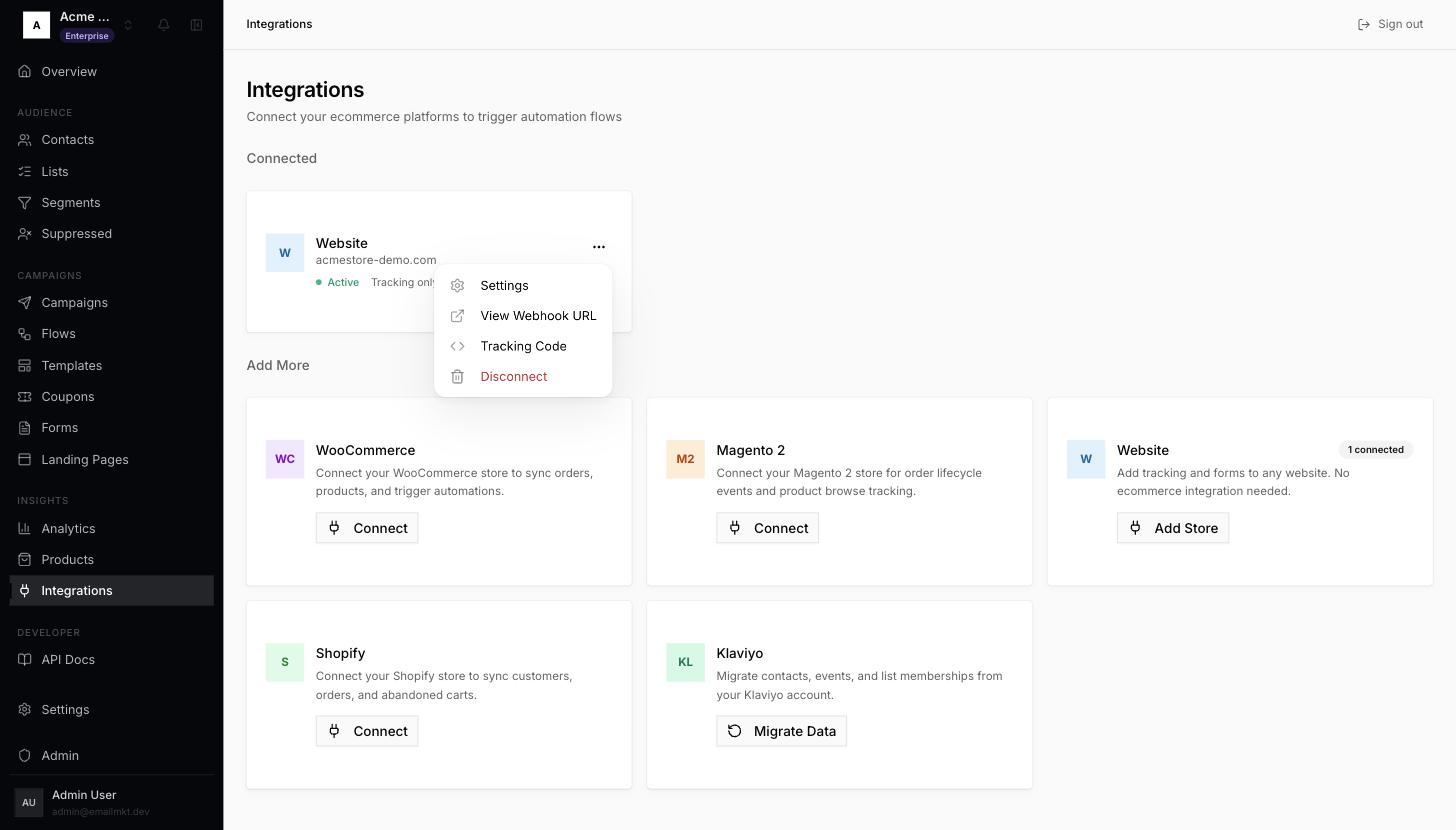
Connection menu with Tracking Code - 2Click the copy button next to the Script Tag and paste it before the closing
</head>tag of every page — in most site builders this is a "header code" or "custom code" setting.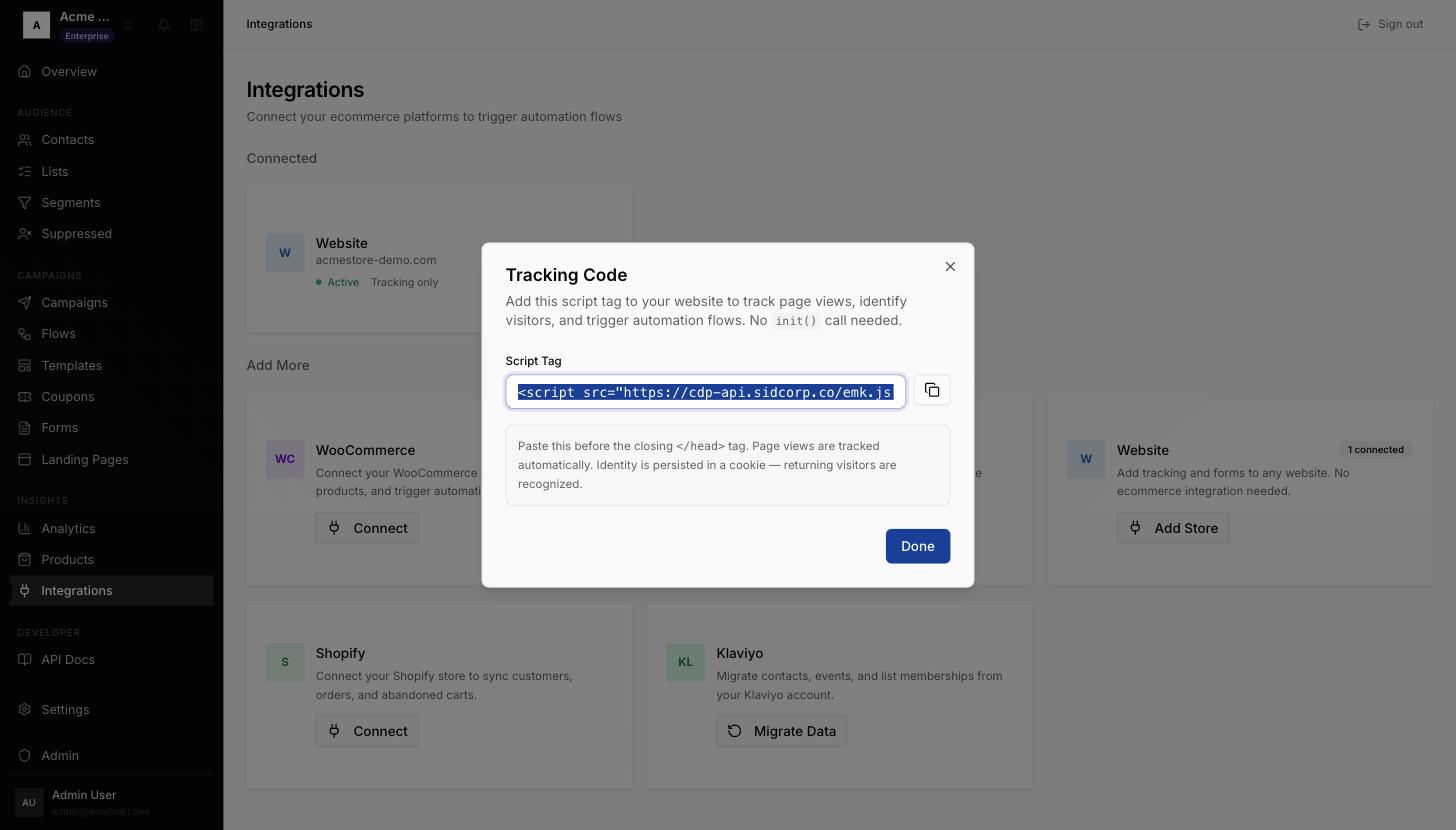
Tracking Code dialog - 3Visit your site once. This step ticks itself when the first visit arrives (it can take a minute).
Done when: A visit is recorded from your site in the last 30 days (Shopify: you tick it).