
Step 4 of 14 · Set up your account
Add a sender
About 2 min
Every campaign and automated email needs a From name and address. Use an address on the domain you just authenticated.
- 1Click Settings, then Senders (1), then Add sender (2) and choose Email sender.
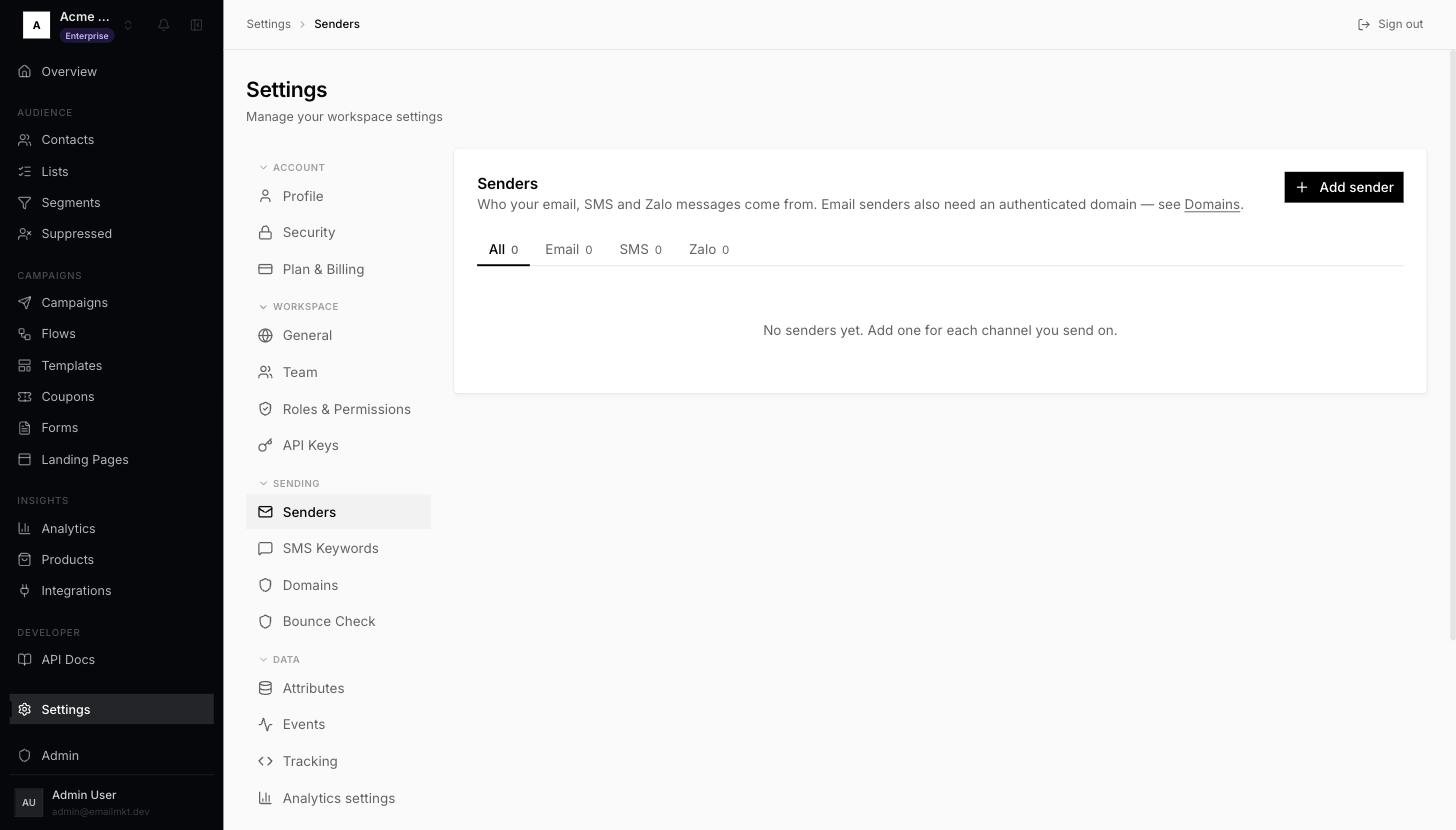
Senders page with Add sender - 2Fill in Name (1), for example
Acme Store, and Email (2), for example[email protected]. If replies should go elsewhere, fill Reply-To (optional). - 3Click Add Sender (3). The row shows Domain authenticated when the address is on a verified domain.
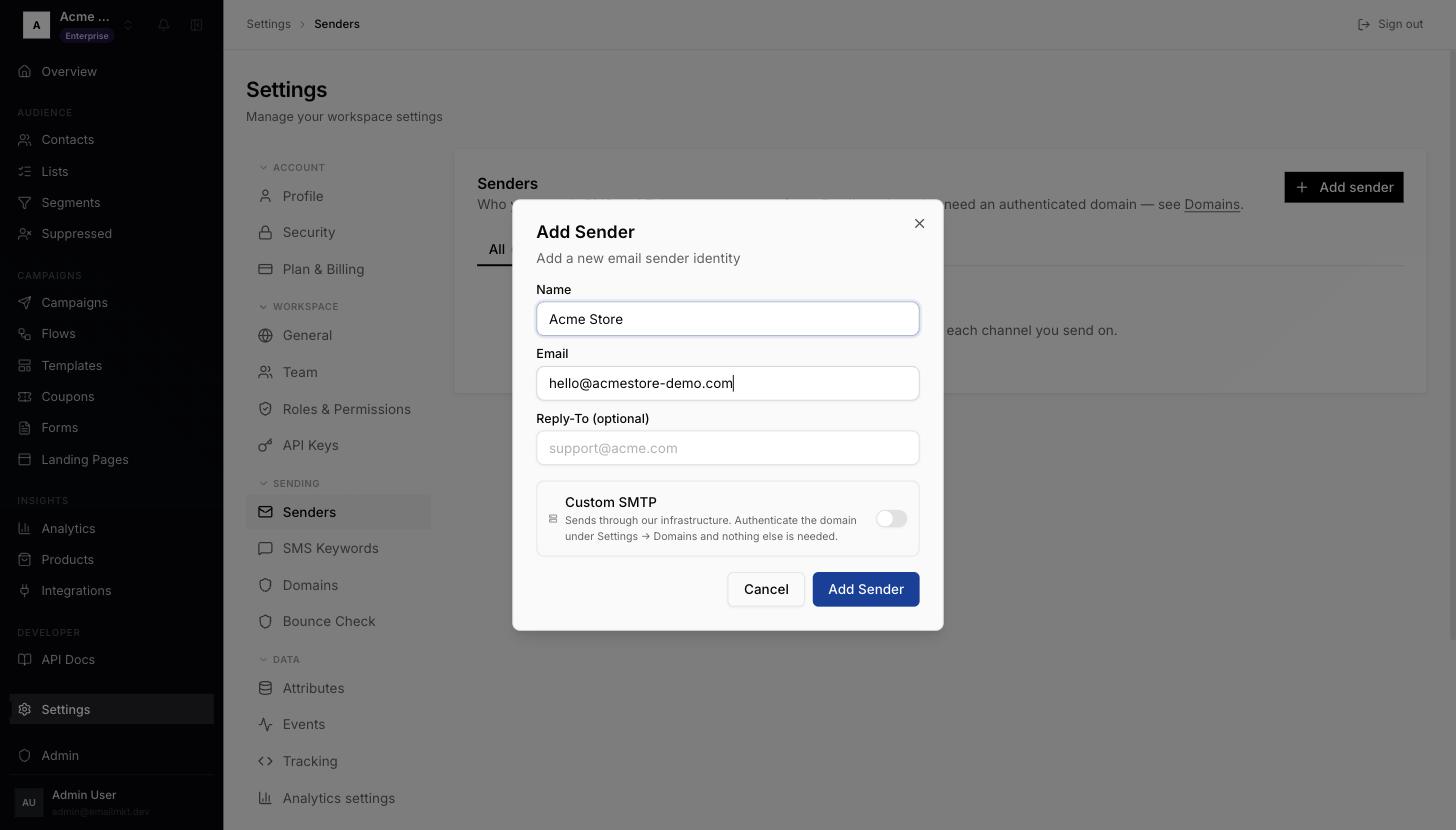
Add Sender dialog - 4Open the row's menu and click Send test email to check it arrives.
Done when: At least one sender exists.