
Step 12 of 14 · Start sending
Launch a signup popup
About 10 min
A popup is the fastest way to grow your list. Everyone who submits it joins the list you choose — which is what starts your welcome series.
Needs a list (step "Create your first list") and the tracking script on your site to appear.
- 1Click Forms, then Create Form. Pick Popup, type a Form name, choose your list under Email list, and click Continue.
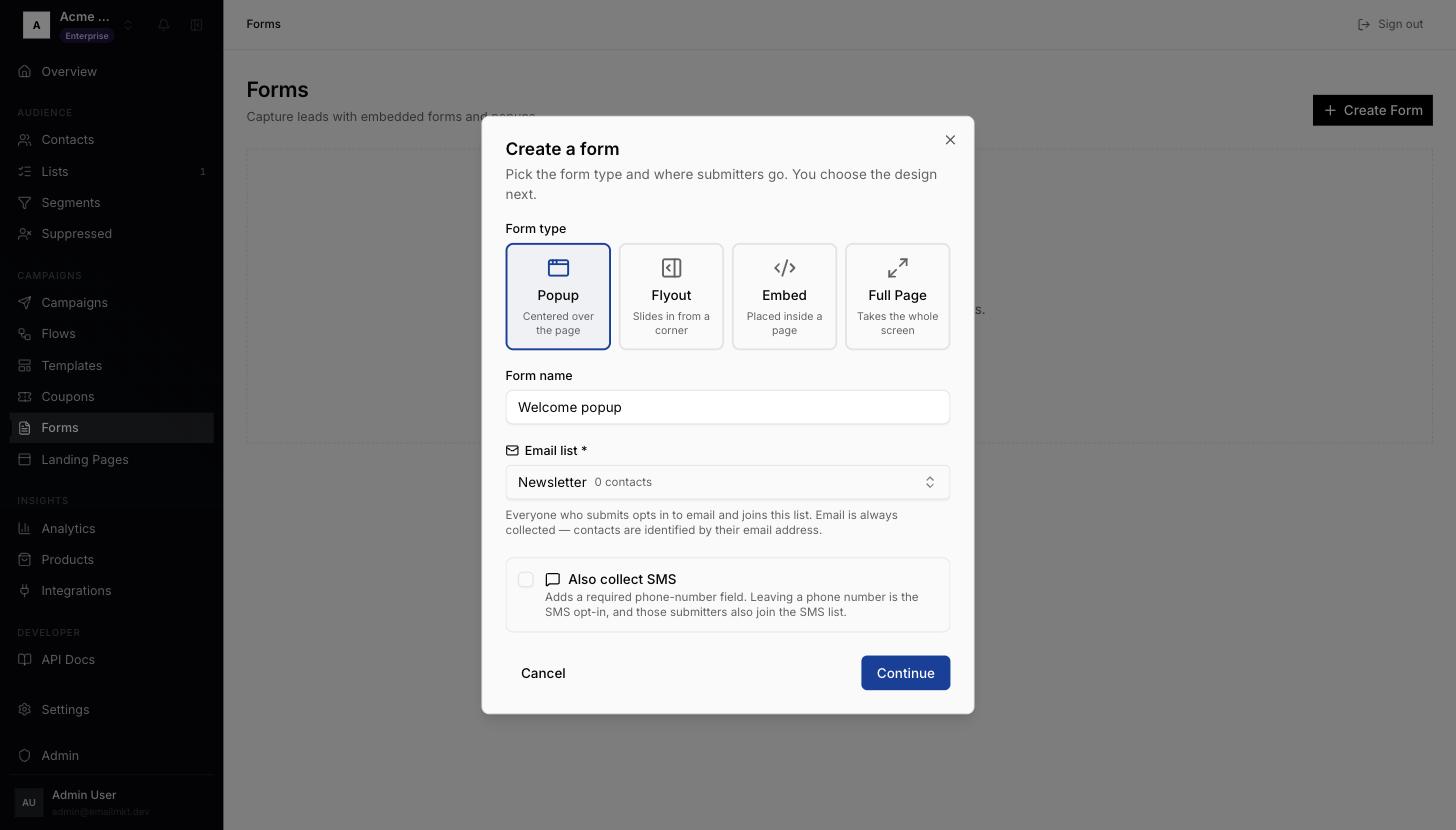
Create a form dialog - 2Pick a design, for example Modern Lifestyle — or Blank Template to start empty. The editor opens.
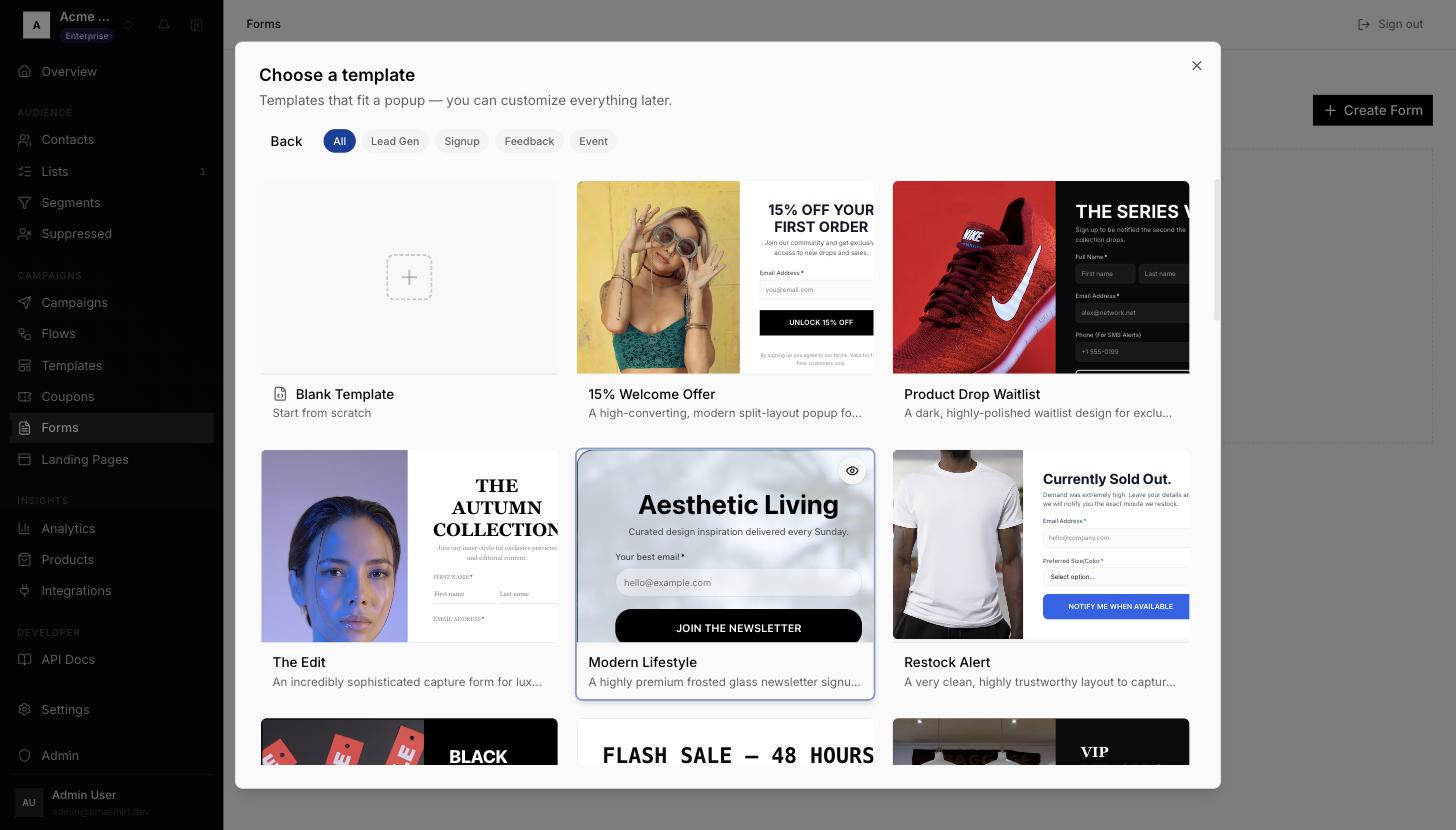
Choose a template - 3Click any text in the preview to change it. Blocks adds fields and images; Styles changes size, colours and position.
- 4Open Targeting to choose who sees the popup and when. By default it shows to everyone, and not on cart or checkout pages.
- 5Click Save, then Activate. You will see Form activated. On a site with the tracking script (or a Shopify store with the app embed on), the popup now shows to visitors.
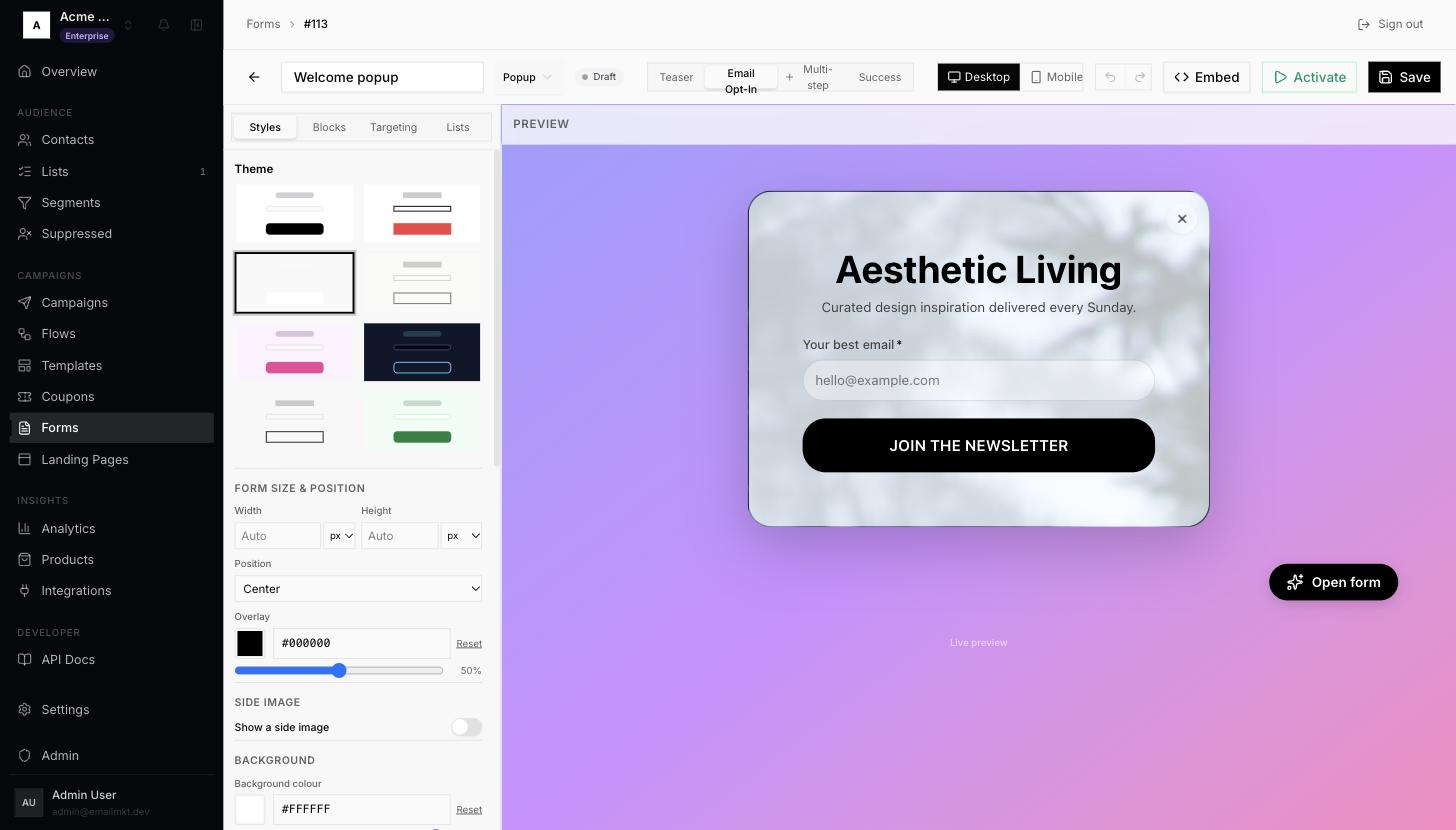
Form editor with Targeting, Activate and Save
Done when: A form is Active.