
Step 11 of 14 · Start sending
Design your welcome email
About 10 min
Your welcome email is the first thing a new subscriber gets. Starting from a ready-made design takes minutes.
- 1Click Templates, then Create Template. Choose Email (1) and click Continue (2).
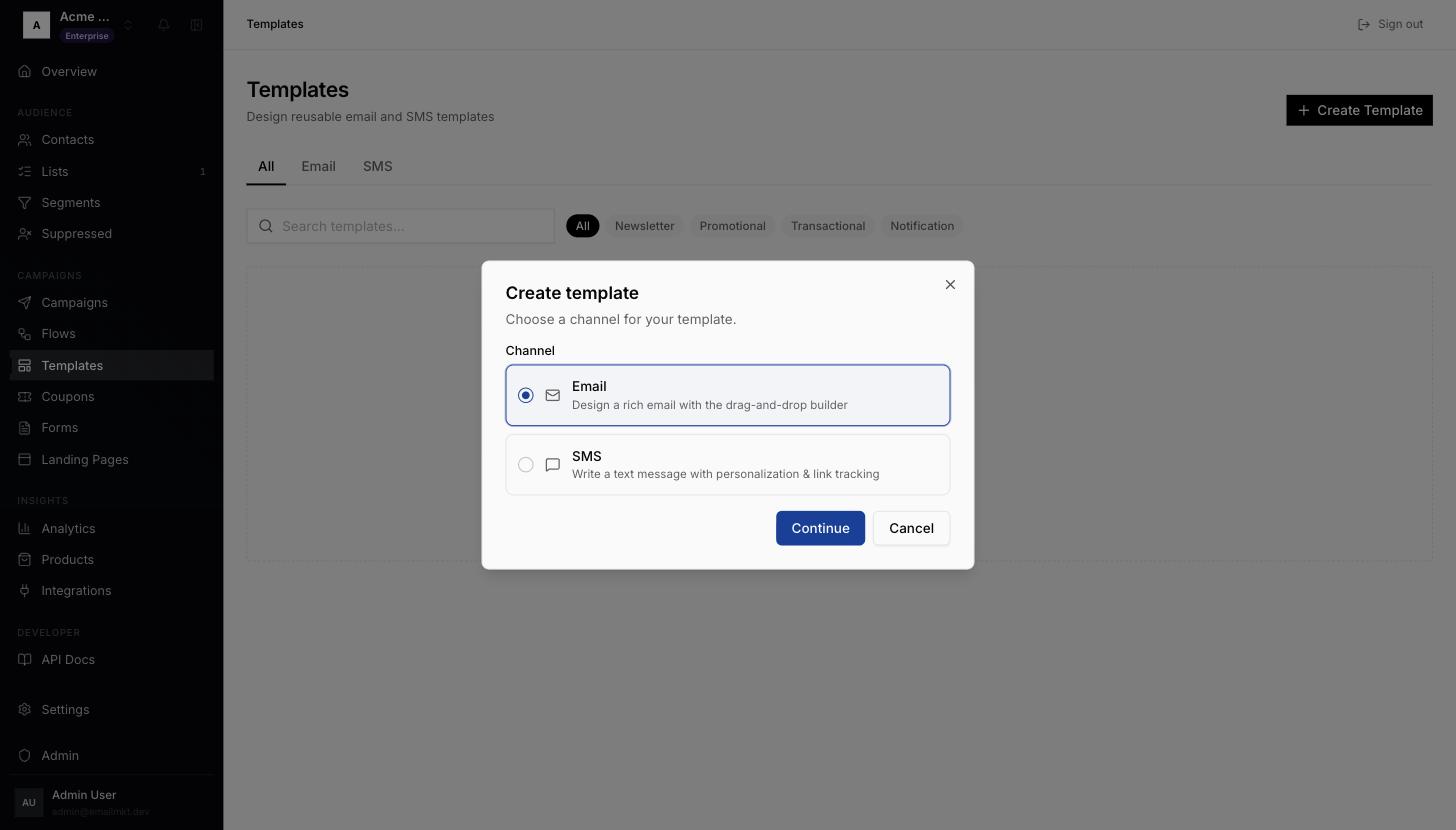
Create template, choose Email - 2Under Template Types pick Welcome (1). The name box (2) fills in Welcome Template — change it if you like. Click Use Selected Starter (3).
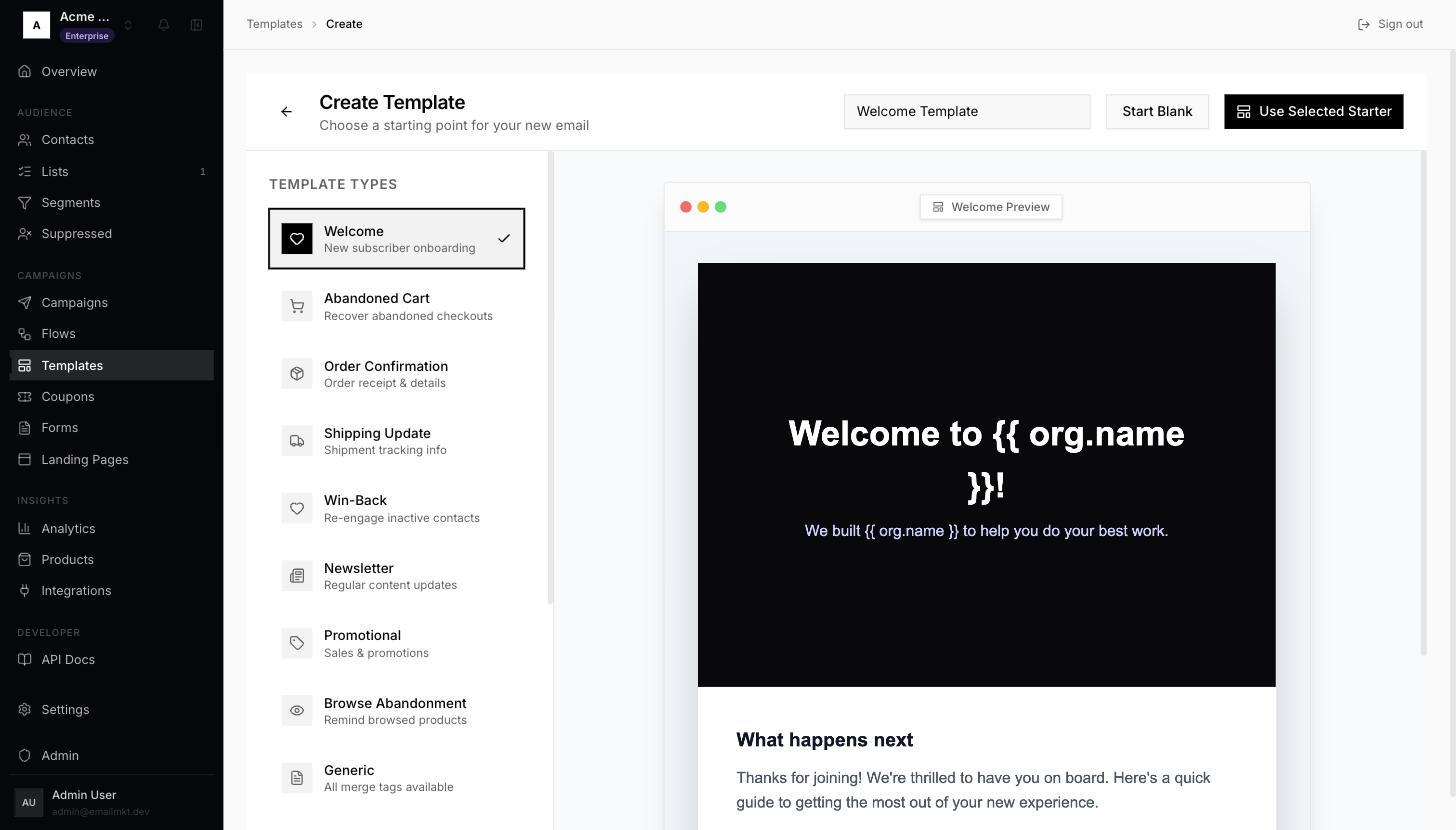
Welcome starter selected - 3Click any text or image to change it, then click Save.
- 4Click Send Test (top right). Check the Sender, Subject and your own address in Recipient, then click Send Test — and check your inbox.
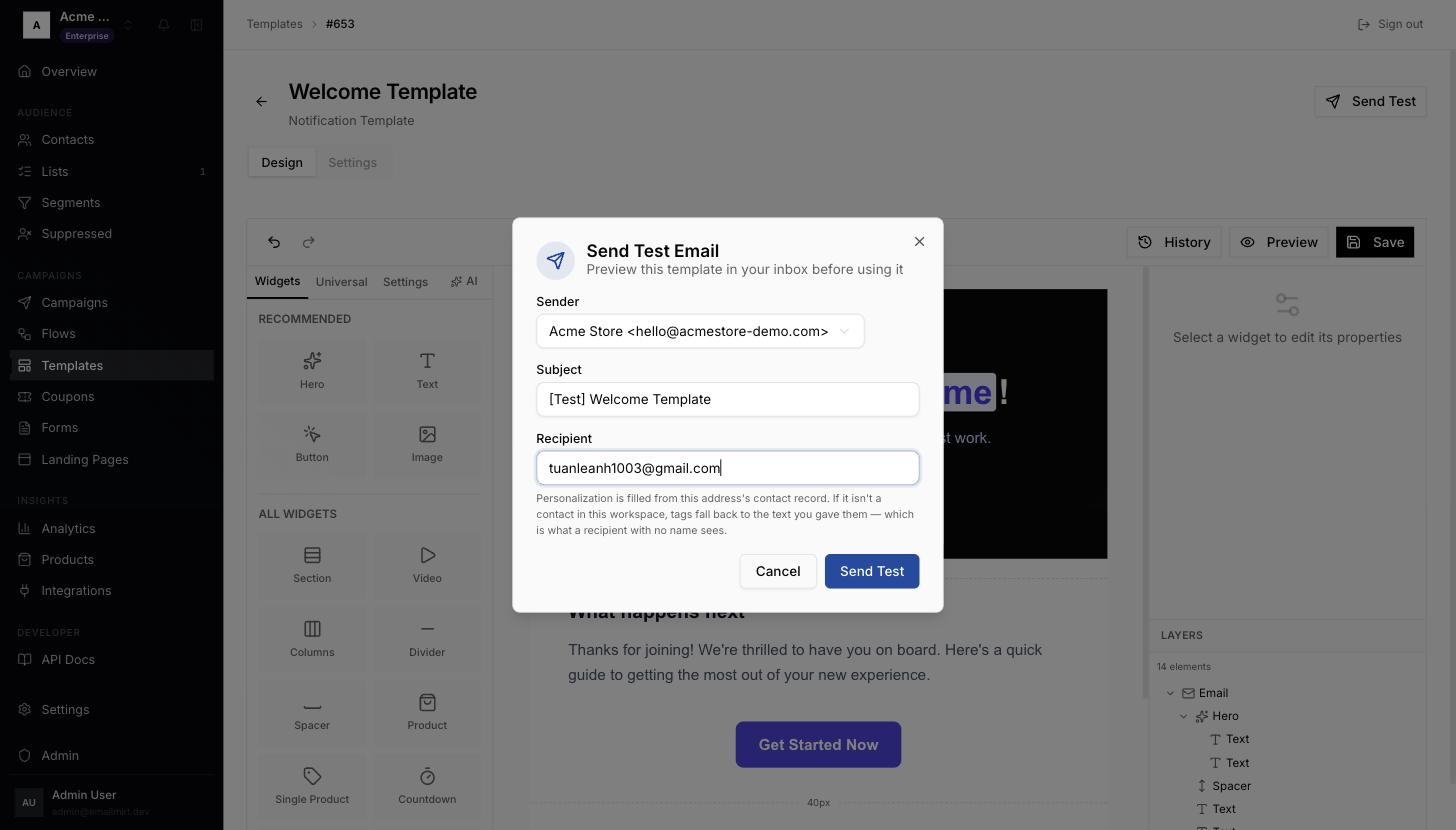
Send Test Email dialog
Upload images rather than pasting them in — pasted images are blocked from sending.
Done when: You have at least one email template.