
Step 2 of 14 · Set up your account
Upload your logo
About 3 min
Every new email header uses your primary logo, and the colours you save here appear in every colour picker, so you never type a hex code twice.
- 1Click Settings (1), then Brand Assets, and open the Brand tab (2). Under Logos, click Add logo (3).
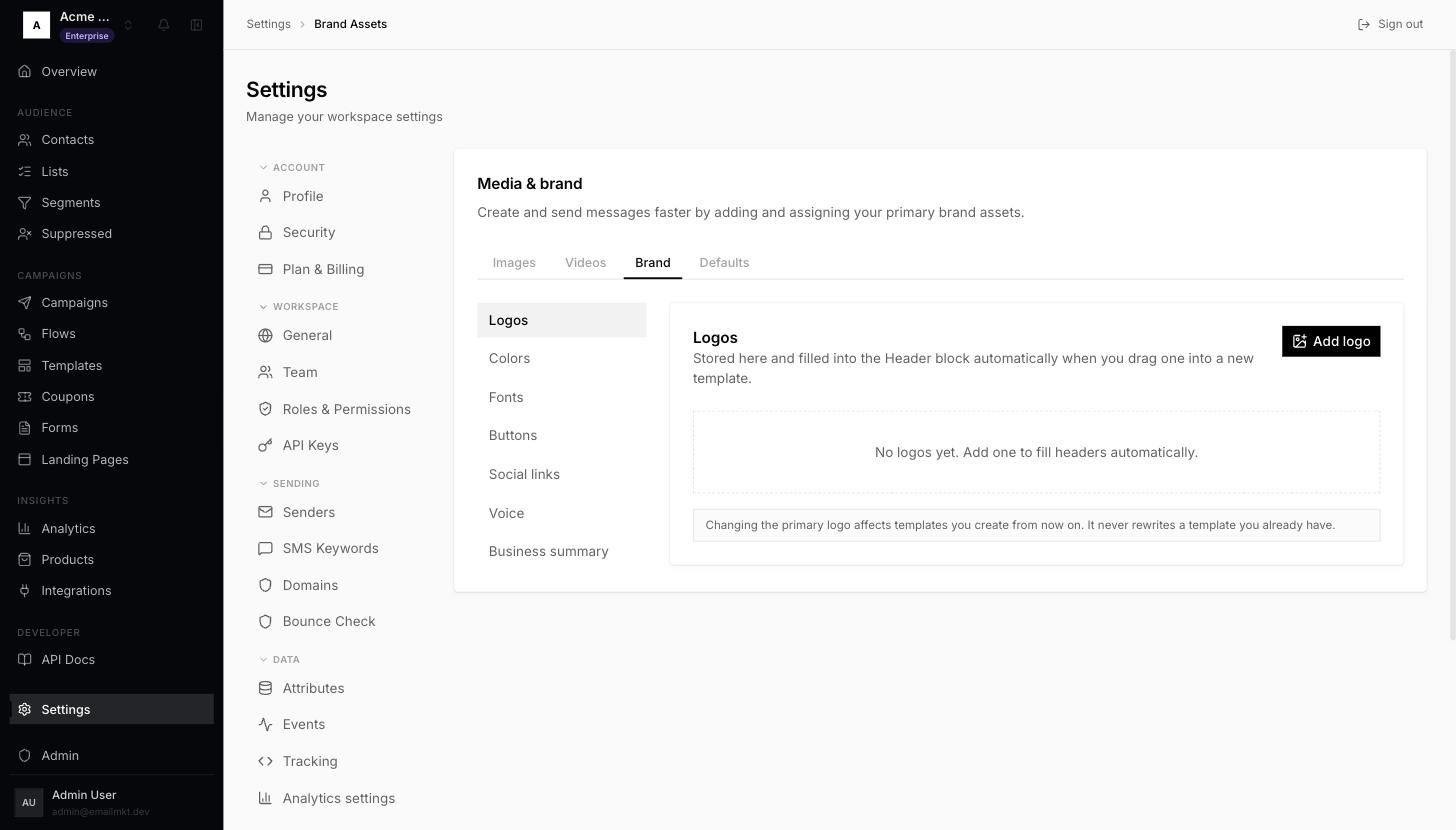
Brand Assets, Brand tab - 2In the Add logo panel, upload your logo or paste its address into Image URL (1).
- 3Type your shop name in Alt text (2) — it is shown when a mail app blocks images. Leave Primary logo ticked and click Done (3).
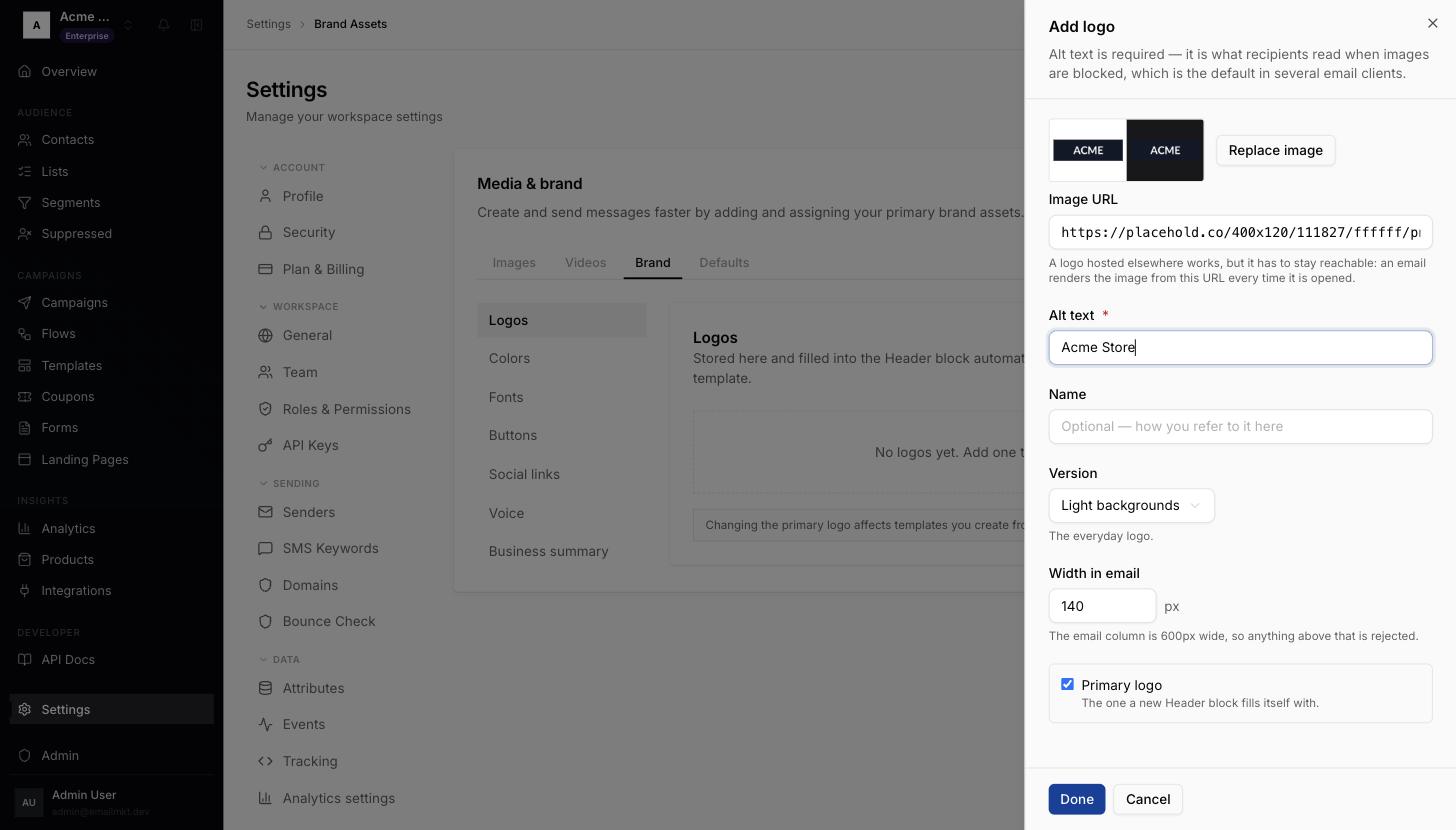
Add logo panel - 4Click Save changes (4). Optional: under Colors, add your brand colours the same way.
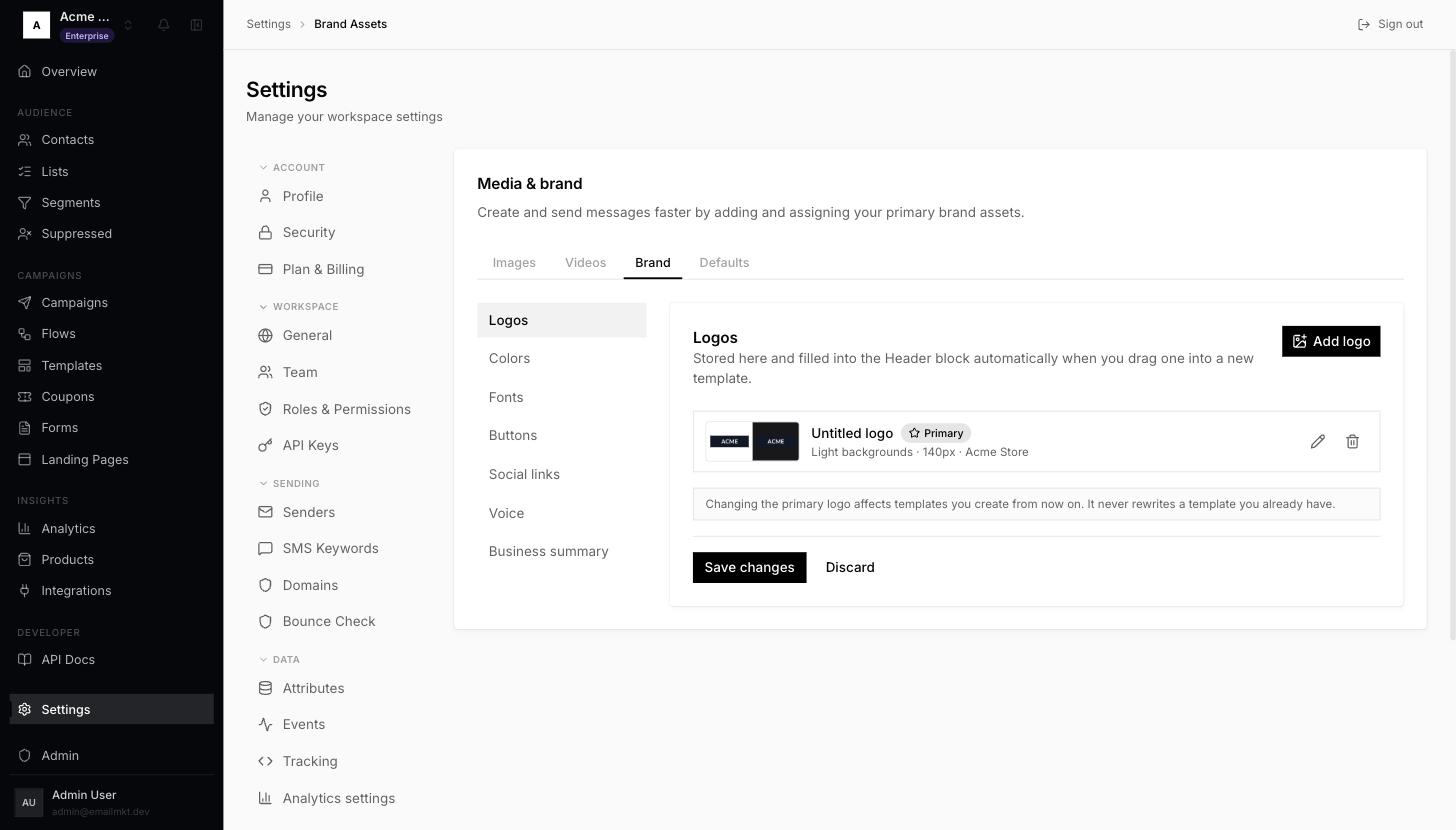
Logo added, Save changes
Use a PNG with a transparent background, about 400px wide.
Done when: At least one logo is saved.