
Step 1 of 14 · Set up your account
Add your business address
About 2 min
Anti-spam laws require a real postal address in every marketing email, and your footer fills it in automatically from here. Without it the footer line is simply left out.
- 1In the left sidebar, click Settings (1), then General (2).
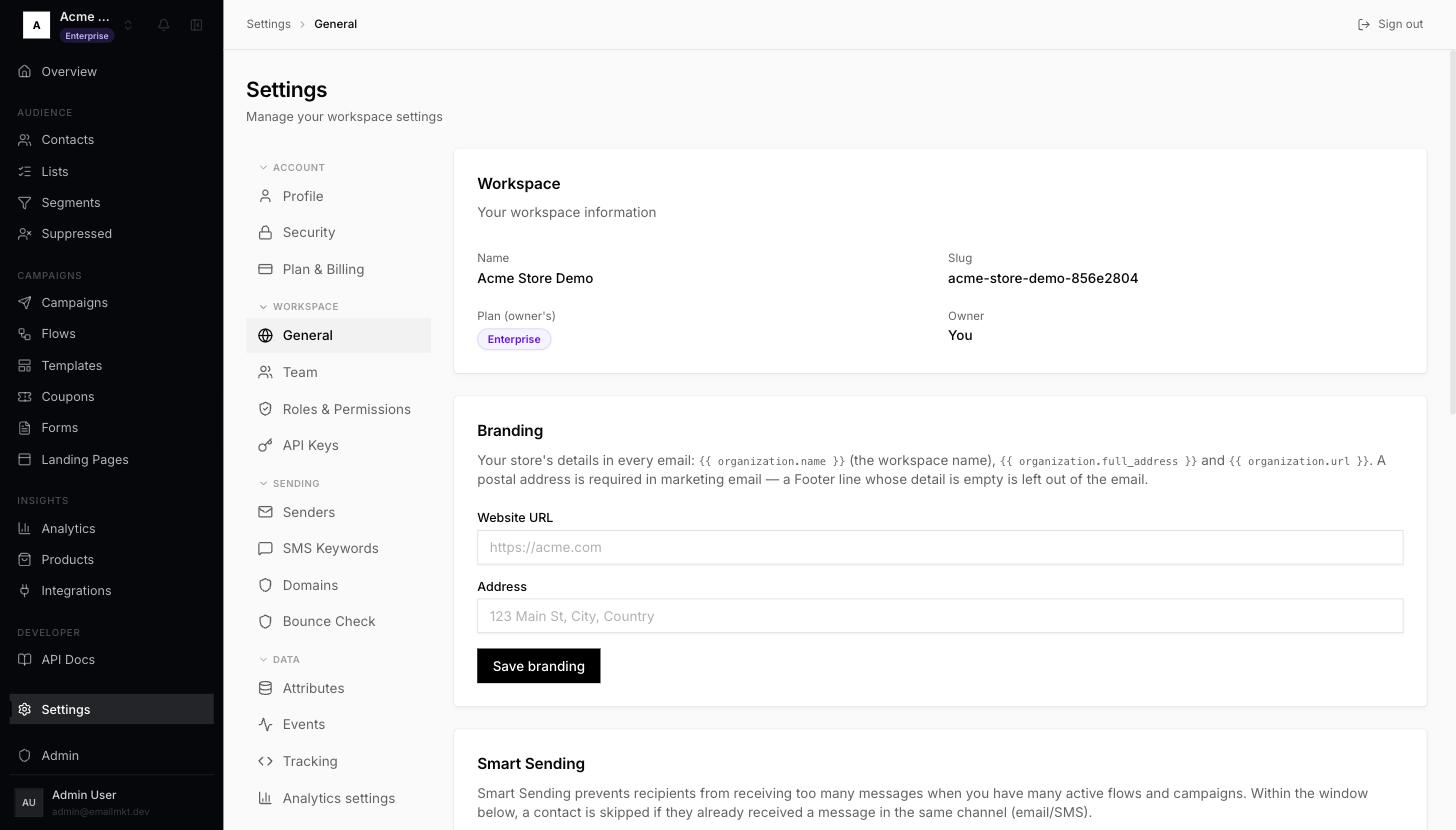
Settings, General page - 2Find the Branding card. Type your website in Website URL (1), for example
https://acme.com, and your shop's postal address in Address (2), for example123 Main St, Springfield, United States. - 3Click Save branding (3). You will see Branding saved.
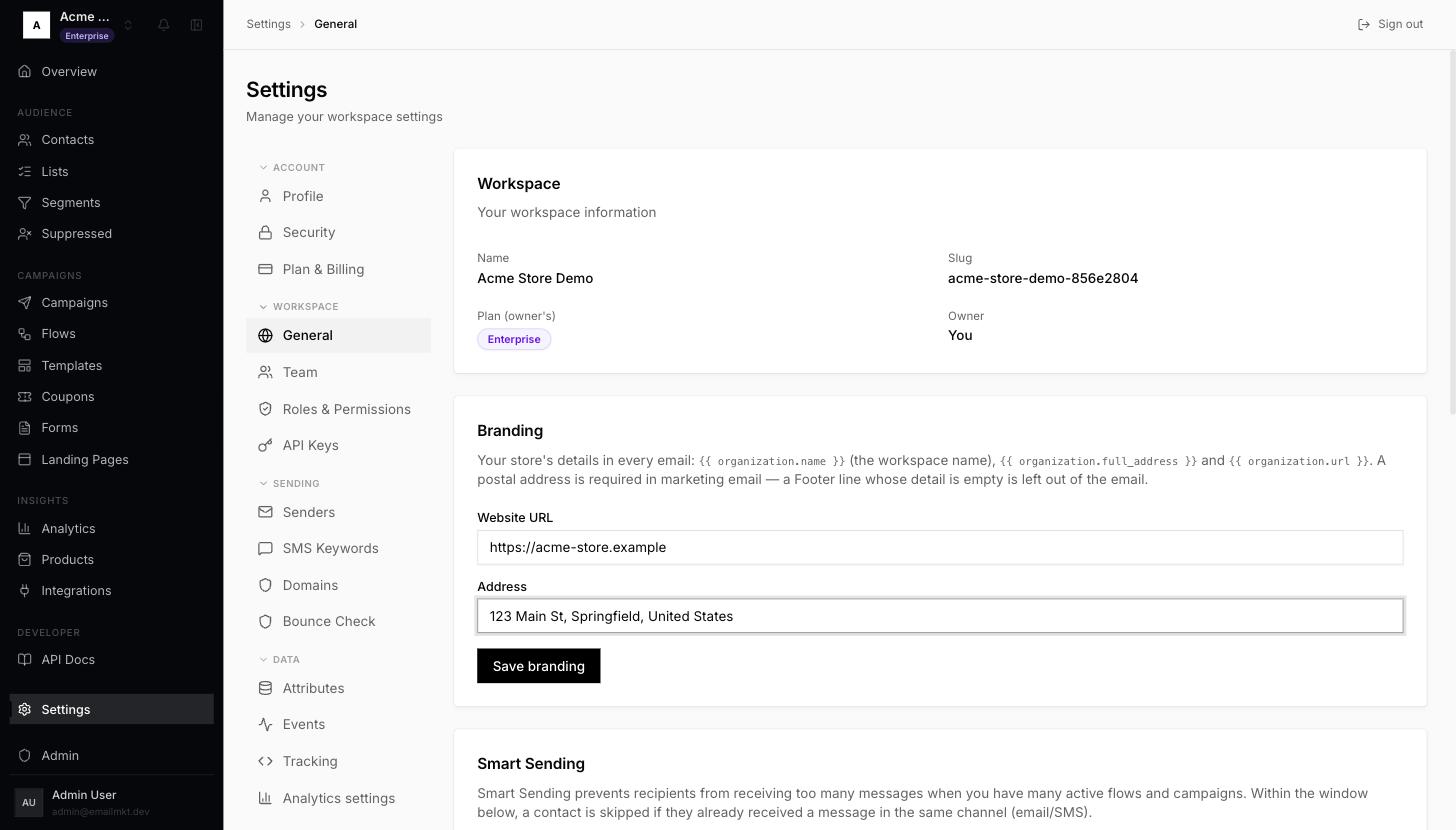
Branding card with Website URL and Address filled in
Your store name in emails is the workspace name. To change it, edit the name at the top of the same page.
Done when: Both Address and Website URL are saved.